The save editor for RPG Maker and Ren'Py games
Change gold, items, stats, switches and variables in games made with RPG Maker MV, MZ, VX Ace, VX, XP and Ren'Py. Free, open source, and it runs on your PC: nothing is uploaded.
For Windows 10 and 11 (64-bit). Updates itself when a new version is released.
Works with saves from
- RPG Maker MZ
- RPG Maker MV
- RPG Maker VX Ace
- RPG Maker VX
- RPG Maker XP
- Ren'Py 7 and 8
Everything in your save, by name
Item, switch and variable names come from the game's own data, so you see "Potion" and "Bridge repaired" instead of ID numbers.
-
Party and gold
Gold, HP, MP, TP, level, EXP and bonus stats of every character.
-
Items, weapons, armors
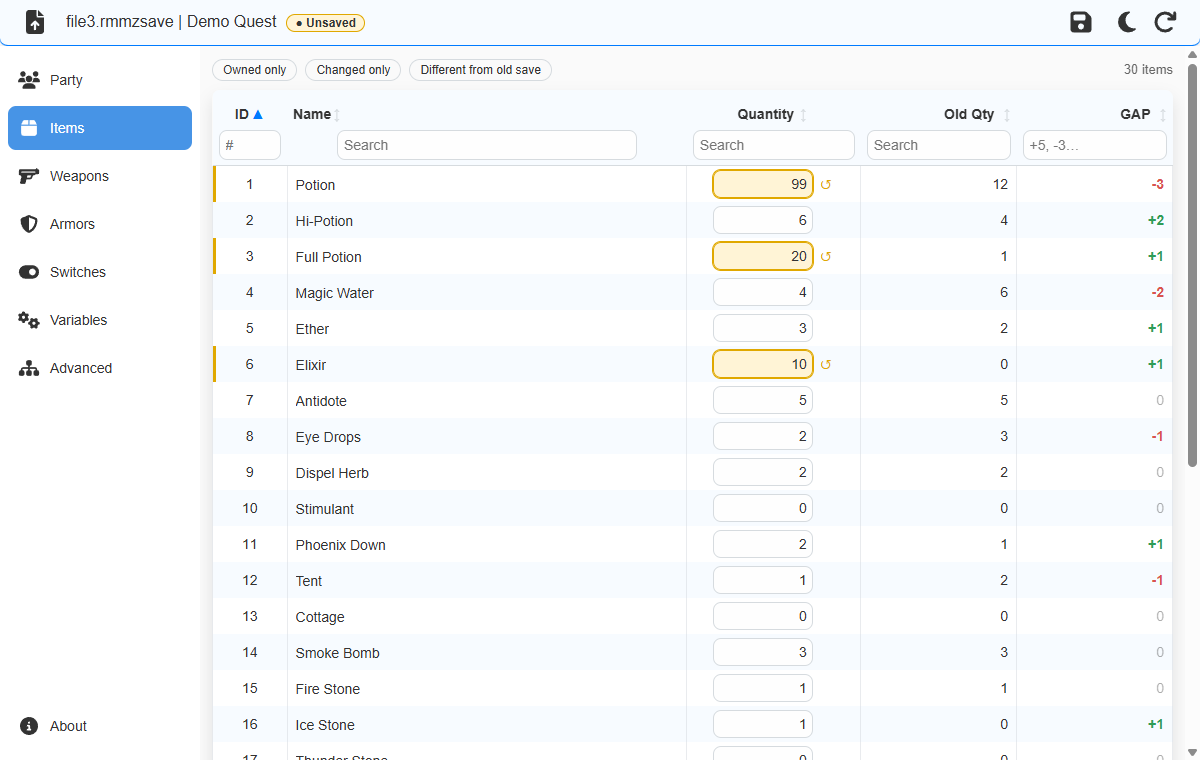
Set how many of each you own, with names and descriptions from the game.
-
Switches and variables
Turn story switches on or off and change counters, quest steps and flags.
-
Ren'Py variables
Money, affection points, flags and names in visual novels, kept in their original type.
-
Search every value
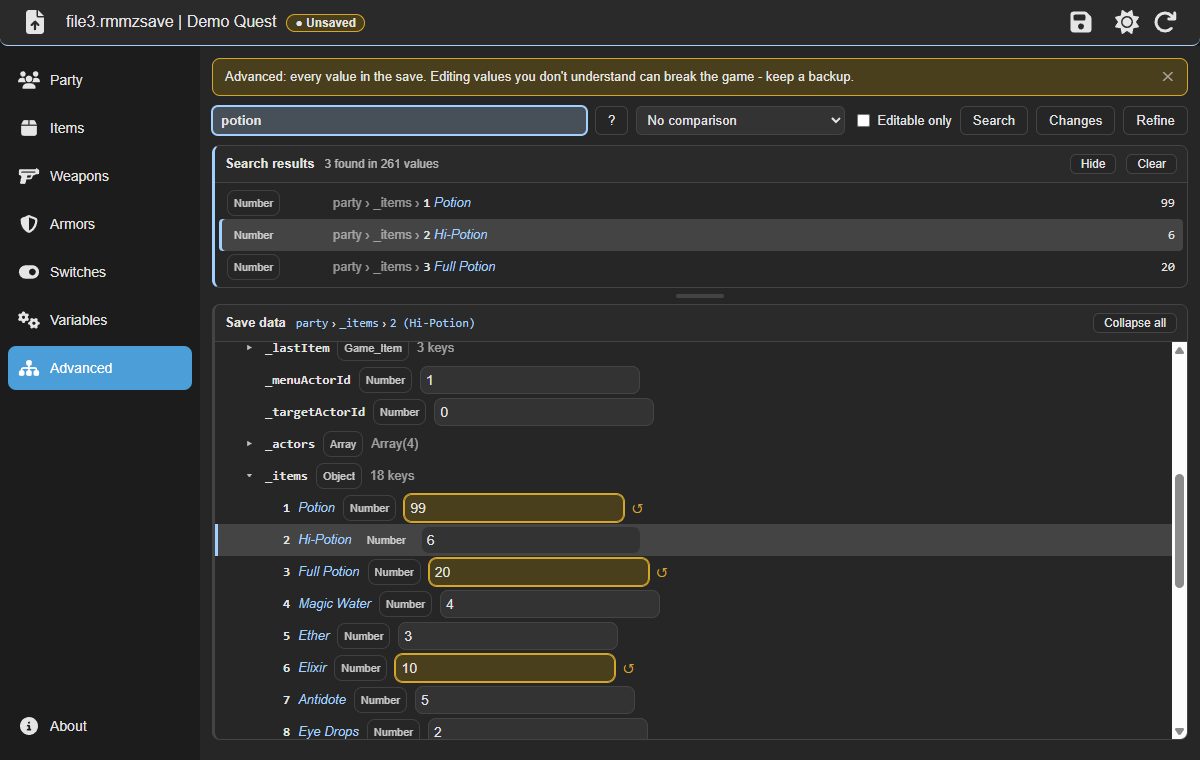
The Advanced tab shows the whole save as a tree, with text, number and path search.
-
Find unknown values
Compare two saves of the same game to find the values that changed, went up or went down.
-
Safe for your saves
What you don't edit is kept as is, and unsaved changes are never lost by accident.
-
Encrypted games too
Reads names from
Game.rgssad,Game.rgss2aandGame.rgss3aarchives. -
Made to be pleasant
Light and dark themes, drag and drop, keyboard shortcuts and one-click updates.
Where are the save files?
Open the slot you saved in: file3 or Save03 is the third slot. global
and persistent files hold settings, not your progress.
| Engine | Folder | Files |
|---|---|---|
| RPG Maker MZ | save/ in the game folder | file1.rmmzsave |
| RPG Maker MV | www/save/ in the game folder | file1.rpgsave |
| RPG Maker VX Ace | Game folder, next to Game.exe | Save01.rvdata2 |
| RPG Maker VX | Game folder, next to Game.exe | Save1.rvdata |
| RPG Maker XP | Game folder, next to Game.exe | Save1.rxdata |
| Ren'Py 7 and 8 | game/saves/ and %APPDATA%\RenPy\<game> | 1-1-LT1.save |
Edit a save in four steps
Back it up
Copy your save file somewhere safe first.
Open it
Press
Ctrl+Oor drag the save onto the window.Change values
Edited values are highlighted, and each one can be undone.
Save and play
Press
Ctrl+S, then load the save in the game.
Ren'Py notes and the full guide are in the README on GitHub.
Skip the grind
Download RPG Save Editor for free and open your first save in seconds.
Download for WindowsSupport the project
RPG Save Editor is free and built in my spare time. If it saved you some grinding, you can buy me a coffee. It helps keep the project going.
Code signing policy
Free code signing provided by SignPath.io, certificate by SignPath Foundation. Releases up to 1.5.0 are not signed.
Committers and reviewers: truongthang2211. Approvers: truongthang2211.
Installers are built from the public repository on GitHub Actions, and every release is approved by hand before it is signed.
Privacy policy
RPG Save Editor works offline and does not collect or send any information about you or your saves.
The only connection it makes on its own is the update check: at startup and when you click Check for Updates, it downloads update information from GitHub Pages and, if you choose to update, the installer from GitHub. You can turn the automatic check off in About. Links open in your browser only when you click them.
To uninstall, open Settings → Apps → Installed apps, find rpgsaveeditor and click Uninstall. Your saves are not touched.